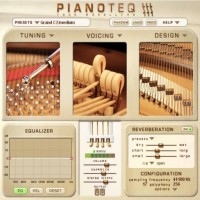
stevedoz wrote:Amen Ptah Ra wrote:stevedoz wrote:...I am struggling (like many I believe) with a very thin sound from Pianoteq via the piano speakers or headphones...
Have you a way to route thru the speakers or headphones directly from the demo pages for you to make a comparison?
I have. Sounds about the same, many thanks
Then you’ve narrowed the problem to the path between your computer and your speakers or headphones.
The way you get MIDI from the keyboard to the computer has no effect on the quality of the sound from Pianoteq. In almost all cases, either the MIDI connection works, or it doesn’t. If the keys you are striking cause the corresponding notes in Pianoteq to play, the MIDI connection is working. (There can be other details about the MIDI that matter, but the connection is OK, and replacing it with any other connection that also works won’t change anything.)
The likely problems are: the quality of the audio output on your computer; the quality of the UCA222; and (maybe) the quality of the speakers on the ES920 when used to play external sounds. The audio outputs built into Windows computers are rarely suitable for music, and the Behringer appears to be a very cheap device— I wouldn’t expect much of it. I don’t know this for a fact, but I suspect the speakers on the ES920 and the internal sound path might be tuned to work together; it’s reasonable to think externally-produced sounds might not behave as well. However, since you’ve tried headphones and get the same “thin” sound, that’s at least not all of the problem.
Sorry to say this, but you probably need a respectable audio interface — one that has its own custom ASIO drivers (not ASIO4All), and one that isn’t Behringer. Then judge the sound comparing it to other sounds following the same signal path (like the demos, or any music you have on your computer). If the keyboard speakers and/or the headphones you have can’t reproduce other music well, then they won’t reproduce Pianoteq either.