Topic: Retired beginner looking for some help please

Hi
I'm retired and have a Kawai ES920 digi piano and a decent Windows 11 laptop (no Apple products at the moment).
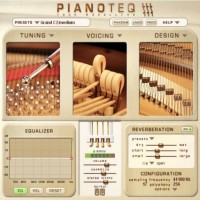
I've tried Pianoteq 9 demo with a setup as follows:
Midi jacks to USB A between the piano and laptop
3.5mm audio cable from laptop to line in on piano (just so I can loop the sound back to the piano speakers for comparison with the piano's internal sounds).
I've also tried looping the sound back to the piano via a behringer UCA222 audio interface.
Everything works fine with the ASIO4ALL drivers installed

What I'd really like to know is if the setup would be better with a USB B (which the piano has) to USB A or USB C cable rather than midi cable connection, and also if there is a beginner's guide to settings as I am struggling (like many I believe) with a very thin sound from Pianoteq via the piano speakers or headphones (I mainly use Grado SR80e)

Many thanks for any advice

Re: Retired beginner looking for some help please

stevedoz wrote:

Hi
I'm retired and have a Kawai ES920 digi piano and a decent Windows 11 laptop (no Apple products at the moment).
I've tried Pianoteq 9 demo with a setup as follows:
Midi jacks to USB A between the piano and laptop
3.5mm audio cable from laptop to line in on piano (just so I can loop the sound back to the piano speakers for comparison with the piano's internal sounds).
I've also tried looping the sound back to the piano via a behringer UCA222 audio interface.
Everything works fine with the ASIO4ALL drivers installed

What I'd really like to know is if the setup would be better with a USB B (which the piano has) to USB A or USB C cable rather than midi cable connection, and also if there is a beginner's guide to settings as I am struggling (like many I believe) with a very thin sound from Pianoteq via the piano speakers or headphones (I mainly use Grado SR80e)

Many thanks for any advice

I think that as long as the connection between your piano and your computer works well I don’t see any reason why you should use a USB B cable but maybe someone else knows more about this. I did have serious trouble with the MIDI cable connection, though. I used an old interface and maybe I connected the cables incorrectly (I now guess that I should have only used one cable instead of two, lol). There were sometimes notes playing at full velocity that I didn’t even touch on the piano. I solved this issue by using a USB B to USB A cable. Now it works perfectly.

Concerning the thin sound issue: I think there might be a few things to keep in mind. First of all you should use studio speakers or headphones (sry, I didn’t look up the headphones that you use, maybe they are suitable). HiFi speakers or headphones often add some sort coloration to the sound and I don’t know if the quality of the inbuilt speakers in your piano are of a very high quality (not saying they aren’t, just not sure). However, there are also differences between various headphones with a neutral frequency response as far as I have heard from other people so it might be worth testing some of them before taking a decision.

An issue I ran into is about playing live vs. playing back a MIDI file after recording. I don’t think that this has anything to do with Pianoteq itself (the same thing happens with another piano plugin that I sometimes use, too) but I have the same issue with my iPhone as well as my laptop. When I play live the sound isn’t as good as when I play back a MIDI file in Pianoteq itself or a DAW (music production software where I can use Pianoteq as a plugin). At first I thought that it might be a psychological effect but other people that I asked could hear the same difference in sound. It’s not too big of an issue for me because I use Pianoteq for making recordings anyway and I’ve never used it for live performances though I’d definitely be interested if anyone has to offer a solution for this problem. Something you could try as well is to compare the sound of a MIDI file played back in Pianoteq itself vs. an exported audio file (preferably WAVE or at least FLAC).

That’s all that I can currently think of – maybe others are more experienced with this topic and also might see some things differently but I hope that I could help you at least a little bit.

Re: Retired beginner looking for some help please

stevedoz wrote:

...I am struggling (like many I believe) with a very thin sound from Pianoteq via the piano speakers or headphones...

Have you a way to route thru the speakers or headphones directly from the demo pages for you to make a comparison?

Last edited by Amen Ptah Ra (09-01-2026 13:00)
Pianoteq 8 Studio Bundle, Pearl malletSTATION EM1, Roland (DRUM SOUND MODULE TD-30, HandSonic 10, AX-1), Akai EWI USB, Yamaha DIGITAL PIANO P-95, M-Audio STUDIOPHILE BX5, Focusrite Saffire PRO 24 DSP.

Re: Retired beginner looking for some help please

Amen Ptah Ra wrote:
stevedoz wrote:

...I am struggling (like many I believe) with a very thin sound from Pianoteq via the piano speakers or headphones...

Have you a way to route thru the speakers or headphones directly from the demo pages for you to make a comparison?

5-pin midi with conversion at the end near the computer has the following advantages :

5-pin midi is "opto-isolated," meaning there is no direct electrical connection between the piano and the computer. This eliminates any issue ground.
Also you  can use 5-pin MIDI cables as long as 50 feet without signal loss, then convert to USB near your computer.

However if you use an average cable the conversion 5-pin to USB has latency.


My recommendation would be to use usb to usb cable . If no ground loop noise , yiu are good to go. If not then better use your connection but make sure the quality of the cable is good . There a lot of cheap / poor cables in the market

Re: Retired beginner looking for some help please

Zeng Hua wrote:
stevedoz wrote:

Hi
I'm retired and have a Kawai ES920 digi piano and a decent Windows 11 laptop (no Apple products at the moment).
I've tried Pianoteq 9 demo with a setup as follows:
Midi jacks to USB A between the piano and laptop
3.5mm audio cable from laptop to line in on piano (just so I can loop the sound back to the piano speakers for comparison with the piano's internal sounds).
I've also tried looping the sound back to the piano via a behringer UCA222 audio interface.
Everything works fine with the ASIO4ALL drivers installed

What I'd really like to know is if the setup would be better with a USB B (which the piano has) to USB A or USB C cable rather than midi cable connection, and also if there is a beginner's guide to settings as I am struggling (like many I believe) with a very thin sound from Pianoteq via the piano speakers or headphones (I mainly use Grado SR80e)

Many thanks for any advice

I think that as long as the connection between your piano and your computer works well I don’t see any reason why you should use a USB B cable but maybe someone else knows more about this. I did have serious trouble with the MIDI cable connection, though. I used an old interface and maybe I connected the cables incorrectly (I now guess that I should have only used one cable instead of two, lol). There were sometimes notes playing at full velocity that I didn’t even touch on the piano. I solved this issue by using a USB B to USB A cable. Now it works perfectly.

Concerning the thin sound issue: I think there might be a few things to keep in mind. First of all you should use studio speakers or headphones (sry, I didn’t look up the headphones that you use, maybe they are suitable). HiFi speakers or headphones often add some sort coloration to the sound and I don’t know if the quality of the inbuilt speakers in your piano are of a very high quality (not saying they aren’t, just not sure). However, there are also differences between various headphones with a neutral frequency response as far as I have heard from other people so it might be worth testing some of them before taking a decision.

An issue I ran into is about playing live vs. playing back a MIDI file after recording. I don’t think that this has anything to do with Pianoteq itself (the same thing happens with another piano plugin that I sometimes use, too) but I have the same issue with my iPhone as well as my laptop. When I play live the sound isn’t as good as when I play back a MIDI file in Pianoteq itself or a DAW (music production software where I can use Pianoteq as a plugin). At first I thought that it might be a psychological effect but other people that I asked could hear the same difference in sound. It’s not too big of an issue for me because I use Pianoteq for making recordings anyway and I’ve never used it for live performances though I’d definitely be interested if anyone has to offer a solution for this problem. Something you could try as well is to compare the sound of a MIDI file played back in Pianoteq itself vs. an exported audio file (preferably WAVE or at least FLAC).

That’s all that I can currently think of – maybe others are more experienced with this topic and also might see some things differently but I hope that I could help you at least a little bit.

That's all very helpful. Many thanks for the detailed reply

Re: Retired beginner looking for some help please

Amen Ptah Ra wrote:
stevedoz wrote:

...I am struggling (like many I believe) with a very thin sound from Pianoteq via the piano speakers or headphones...

Have you a way to route thru the speakers or headphones directly from the demo pages for you to make a comparison?

I have. Sounds about the same, many thanks

Re: Retired beginner looking for some help please

Pianistically wrote:
Amen Ptah Ra wrote:
stevedoz wrote:

...I am struggling (like many I believe) with a very thin sound from Pianoteq via the piano speakers or headphones...

Have you a way to route thru the speakers or headphones directly from the demo pages for you to make a comparison?

5-pin midi with conversion at the end near the computer has the following advantages :

5-pin midi is "opto-isolated," meaning there is no direct electrical connection between the piano and the computer. This eliminates any issue ground.
Also you  can use 5-pin MIDI cables as long as 50 feet without signal loss, then convert to USB near your computer.

However if you use an average cable the conversion 5-pin to USB has latency.


My recommendation would be to use usb to usb cable . If no ground loop noise , yiu are good to go. If not then better use your connection but make sure the quality of the cable is good . There a lot of cheap / poor cables in the market

Right. That's helpful thanks. I'll look it this, cheers

Re: Retired beginner looking for some help please

I've done this before and run through all the configurations to determine which was the least noisy.

In the end, unbalanced line level connections between the beheringer and the keyboard are inevitably going to introduce problems like noise, thin sound, signal loss, and potentially impedance mismatching.

To do any sort of objective comparison between the two I would use the headphones to compare the two instruments at the same volume separately.

To enjoy pianoteq fully I suggest an interface with speaker output and some OK studio monitors. Something like a focusrite would do the trick and you could try the headphone out connected to the kawai and see if you can get a cleaner signal than the beheringer. Use as short of a cable as possible but an ok one from a music shop.

A piano with a built in interface would allow this to be done cleanly via USBC.

Hope this helps.

Last edited by nofrets (09-01-2026 19:04)

Re: Retired beginner looking for some help please

stevedoz wrote:
Amen Ptah Ra wrote:
stevedoz wrote:

...I am struggling (like many I believe) with a very thin sound from Pianoteq via the piano speakers or headphones...

Have you a way to route thru the speakers or headphones directly from the demo pages for you to make a comparison?

I have. Sounds about the same, many thanks

Then you’ve narrowed the problem to the path between your computer and your speakers or headphones.

The way you get MIDI from the keyboard to the computer has no effect on the quality of the sound from Pianoteq. In almost all cases, either the MIDI connection works, or it doesn’t. If the keys you are striking cause the corresponding notes in Pianoteq to play, the MIDI connection is working. (There can be other details about the MIDI that matter, but the connection is OK, and replacing it with any other connection that also works won’t change anything.)

The likely problems are: the quality of the audio output on your computer; the quality of the UCA222; and (maybe) the quality of the speakers on the ES920 when used to play external sounds. The audio outputs built into Windows computers are rarely suitable for music, and the Behringer appears to be a very cheap device— I wouldn’t expect much of it. I don’t know this for a fact, but I suspect the speakers on the ES920 and the internal sound path might be tuned to work together; it’s reasonable to think externally-produced sounds might not behave as well. However, since you’ve tried headphones and get the same “thin” sound, that’s at least not all of the problem.

Sorry to say this, but you probably need a respectable audio interface — one that has its own custom ASIO drivers (not ASIO4All), and one that isn’t Behringer. Then judge the sound comparing it to other sounds following the same signal path (like the demos, or any music you have on your computer). If the keyboard speakers and/or the headphones you have can’t reproduce other music well, then they won’t reproduce Pianoteq either.

Re: Retired beginner looking for some help please

nofrets wrote:

I've done this before and run through all the configurations to determine which was the least noisy.

In the end, unbalanced line level connections between the beheringer and the keyboard are inevitably going to introduce problems like noise, thin sound, signal loss, and potentially impedance mismatching.

To do any sort of objective comparison between the two I would use the headphones to compare the two instruments at the same volume separately.

To enjoy pianoteq fully I suggest an interface with speaker output and some OK studio monitors. Something like a focusrite would do the trick and you could try the headphone out connected to the kawai and see if you can get a cleaner signal than the beheringer. Use as short of a cable as possible but an ok one from a music shop.

A piano with a built in interface would allow this to be done cleanly via USBC.

Hope this helps.


That's great. Much appreciated

Re: Retired beginner looking for some help please

Coises wrote:
stevedoz wrote:
Amen Ptah Ra wrote:

Have you a way to route thru the speakers or headphones directly from the demo pages for you to make a comparison?

I have. Sounds about the same, many thanks

Then you’ve narrowed the problem to the path between your computer and your speakers or headphones.

The way you get MIDI from the keyboard to the computer has no effect on the quality of the sound from Pianoteq. In almost all cases, either the MIDI connection works, or it doesn’t. If the keys you are striking cause the corresponding notes in Pianoteq to play, the MIDI connection is working. (There can be other details about the MIDI that matter, but the connection is OK, and replacing it with any other connection that also works won’t change anything.)

That all makes sense thanks

Re: Retired beginner looking for some help please

Thin sound is usually an impedence or cable issue in my experience. Test it:

- Play a classical recording of a piano you are familiar with from your laptop via the beheringer to the Kawai. Then try it via bluetooth to the kawai from your laptop or phone. If that sounds thinner than the kawai, then maybe the kawai is bass boosted. Maybe turn up the bass in pianoteq EQ in effects.
- If it sounds different with bluetooth vs the cable then you know it's the interface, cable, or input on the kawai (or maybe interal compressor on kawai?)
- Test another audio cable if you have.
- If you don't have or that fails, get a short, ok quality shielded audio cable.
- If that fails, consider an interface upgrade. If you just need something basic focusrites work nice. You could buy it and return if the problem isn't solved.

Consider asking Kawai customer support about thin audio via the AUX input.

Good luck.

Last edited by nofrets (10-01-2026 00:38)

Re: Retired beginner looking for some help please

nofrets wrote:

Thin sound is usually an impedence or cable issue in my experience. Test it:

- Play a classical recording of a piano you are familiar with from your laptop via the beheringer to the Kawai. Then try it via bluetooth to the kawai from your laptop or phone. If that sounds thinner than the kawai, then maybe the kawai is bass boosted. Maybe turn up the bass in pianoteq EQ in effects.
- If it sounds different with bluetooth vs the cable then you know it's the interface, cable, or input on the kawai (or maybe interal compressor on kawai?)
- Test another audio cable if you have.
- If you don't have or that fails, get a short, ok quality shielded audio cable.
- If that fails, consider an interface upgrade. If you just need something basic focusrites work nice. You could buy it and return if the problem isn't solved.

Consider asking Kawai customer support about thin audio via the AUX input.

Good luck.


Thank you, much appreciated

Re: Retired beginner looking for some help please

I'd like to add to this thread please.

I've now managed to get my Kawai ES920 working well with Pianoteq in terms of having no ground loops and excellent low latency. Cheers for the advice so far.

Next step is to try to improve the sound I'm hearing from pianoteq.

Budget wise I feel I could either:
Upgrade my headphones from Sennheiser HD598SR to something like the Beyerdynamic DT 880, or get an audio interface like the Focusrite Scarlett Solo 4th Gen or Focusrite Scarlett 2i2 or similar
Any thoughts for which will give a better and more accurate upgrade?

Many thanks

Re: Retired beginner looking for some help please

stevedoz wrote:

I'd like to add to this thread please.

I've now managed to get my Kawai ES920 working well with Pianoteq in terms of having no ground loops and excellent low latency. Cheers for the advice so far.

Next step is to try to improve the sound I'm hearing from pianoteq.

Budget wise I feel I could either:
Upgrade my headphones from Sennheiser HD598SR to something like the Beyerdynamic DT 880, or get an audio interface like the Focusrite Scarlett Solo 4th Gen or Focusrite Scarlett 2i2 or similar
Any thoughts for which will give a better and more accurate upgrade?

Many thanks

For the ability to drive more difficult headphones with higher impedance:

Audient id4 (if you don’t need more I/O than that) or
Apogee Boom or
SSL 2 MK2

Going up a price level:
MOTU Ultralite MK5

Going up more (depending - in Europe it’s less expensive than in the US):
RME Babyface Pro FS - will have the lowest latency by far of all the options

If you ONLY want to drive headphones and not speakers,

Fiio QX13 or some desktop model.

Forget ASIO4ALL.

Re: Retired beginner looking for some help please

dikrek wrote:
stevedoz wrote:

I'd like to add to this thread please.

I've now managed to get my Kawai ES920 working well with Pianoteq in terms of having no ground loops and excellent low latency. Cheers for the advice so far.

Next step is to try to improve the sound I'm hearing from pianoteq.

Budget wise I feel I could either:
Upgrade my headphones from Sennheiser HD598SR to something like the Beyerdynamic DT 880, or get an audio interface like the Focusrite Scarlett Solo 4th Gen or Focusrite Scarlett 2i2 or similar
Any thoughts for which will give a better and more accurate upgrade?

Many thanks

For the ability to drive more difficult headphones with higher impedance:

Audient id4 (if you don’t need more I/O than that) or
Apogee Boom or
SSL 2 MK2

Going up a price level:
MOTU Ultralite MK5

Going up more (depending - in Europe it’s less expensive than in the US):
RME Babyface Pro FS - will have the lowest latency by far of all the options

If you ONLY want to drive headphones and not speakers,

Fiio QX13 or some desktop model.

Forget ASIO4ALL.

Thank you

Re: Retired beginner looking for some help please

Thanks everyone. I now have an Audient ID4 and look forward to playing around with that.

Re: Retired beginner looking for some help please

stevedoz wrote:

Thanks everyone. I now have an Audient ID4 and look forward to playing around with that.

Cool - ensure you install the latest firmware, and also use the ASIO drivers from Audient, not ASIO4ALL.

Let us know how you get on.

Setting buffer size to 128 should provide low enough latency.

Also - best if you have a full power USB-C port on your computer to connect this to.

Last edited by dikrek (25-01-2026 13:32)

Re: Retired beginner looking for some help please

dikrek wrote:
stevedoz wrote:

Thanks everyone. I now have an Audient ID4 and look forward to playing around with that.

Cool - ensure you install the latest firmware, and also use the ASIO drivers from Audient, not ASIO4ALL.

Let us know how you get on.

Setting buffer size to 128 should provide low enough latency.

Also - best if you have a full power USB-C port on your computer to connect this to.

Thanks. Yes I have the latest drivers for the device and have set pianoteq to use the Audient ASIO drivers. The device is connected to the laptop usb c to usb c

Posts [ 19 ]

Pages 1

You must login or register to post a reply