Topic: VelCal - Velocity Calibration.

Hey everyone, I've developed VelCal with the help of AI.

It's free to use and open source, was developed for my own use, thought I'd release it and make it public as others might get some use out of it.

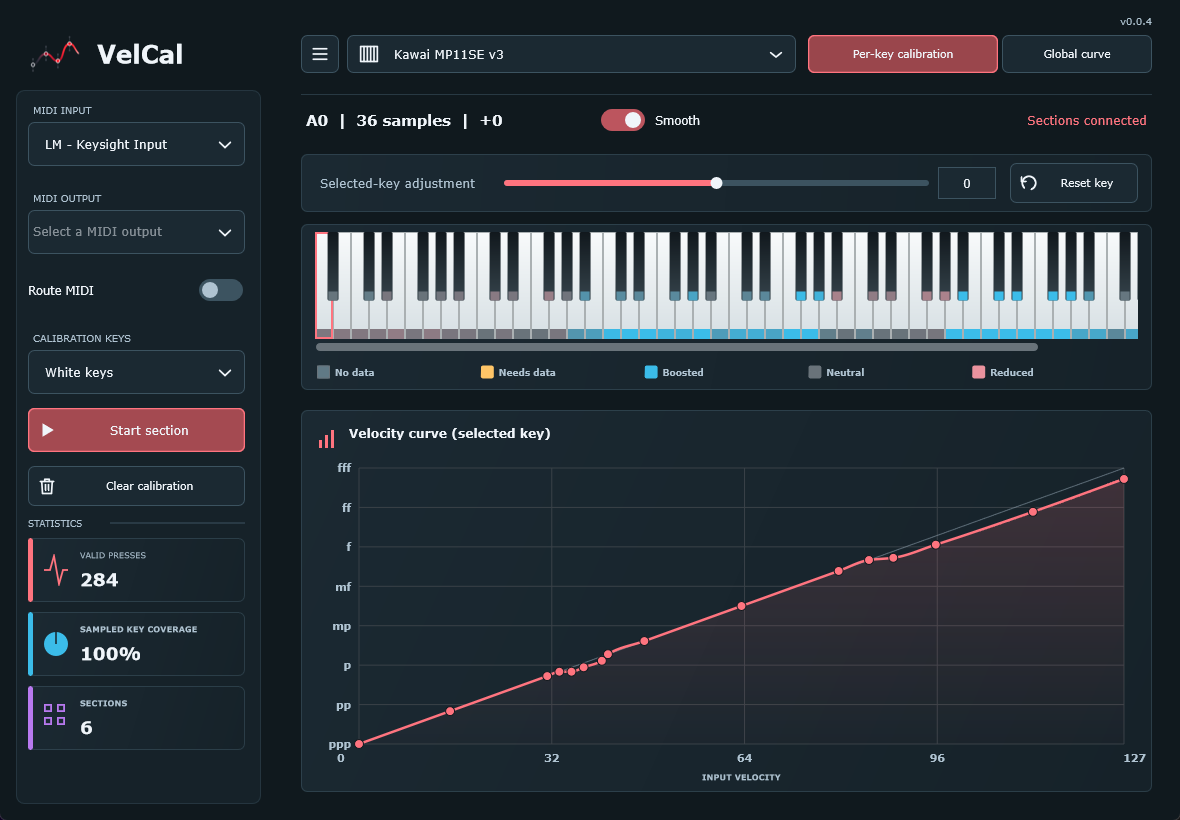
It allows you to set a per key curve and or global curve for your keyboards.
It also has a calibration which is useful for when you have keys producing higher or lower velocities than they should, like my own Kawai MP11SE.
To calibrate you basically aim to reproduce the lowest up to the highest velocities, using something straight edged, more info about it on the github.

Most of the testing was done on Windows, the app loads fine on Linux and Mac which was confirmed today.
It has both Standalone and VST3, it also has AU for Logic on the Mac which lets you use it for Midi FX.

Any issues or questions, go ahead and create an issue post on github.

https://github.com/SH4DOWSIX/VelCal
https://raw.githubusercontent.com/SH4DOWSIX/VelCal/main/docs/images/per-key-calibration.png
https://raw.githubusercontent.com/SH4DOWSIX/VelCal/main/docs/images/global-velocity-curve.png

Re: VelCal - Velocity Calibration.

SH4DOW wrote:

Hey everyone, I've developed VelCal with the help of AI.

It's free to use and open source, was developed for my own use, thought I'd release it and make it public as others might get some use out of it.

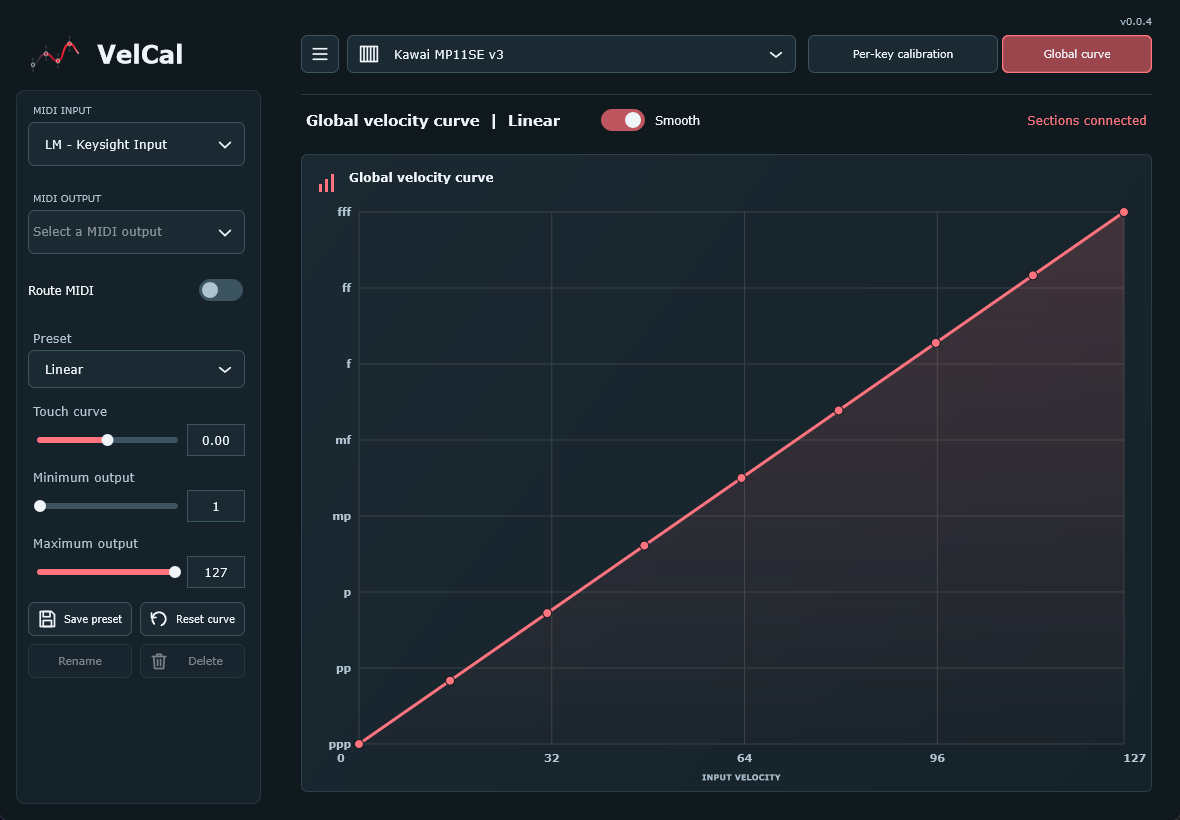
It allows you to set a per key curve and or global curve for your keyboards.
It also has a calibration which is useful for when you have keys producing higher or lower velocities than they should, like my own Kawai MP11SE.
To calibrate you basically aim to reproduce the lowest up to the highest velocities, using something straight edged, more info about it on the github.

Most of the testing was done on Windows, the app loads fine on Linux and Mac which was confirmed today.
It has both Standalone and VST3, it also has AU for Logic on the Mac which lets you use it for Midi FX.

Any issues or questions, go ahead and create an issue post on github.

https://github.com/SH4DOWSIX/VelCal
https://raw.githubusercontent.com/SH4DOWSIX/VelCal/main/docs/images/per-key-calibration.png
https://raw.githubusercontent.com/SH4DOWSIX/VelCal/main/docs/images/global-velocity-curve.png

Looks awesome, VelCal-0.0.5-macOS-universal.pkg fails to open on Tahoe osx. Error = Apple could not verify “VelCal-0.0.5-macOS-universal.pkg” is free of malware that may harm your Mac or compromise your privacy.

Last edited by bobmane (03-11-2026 23:01)

Re: VelCal - Velocity Calibration.

bobmane wrote:
SH4DOW wrote:

Hey everyone, I've developed VelCal with the help of AI.

It's free to use and open source, was developed for my own use, thought I'd release it and make it public as others might get some use out of it.

It allows you to set a per key curve and or global curve for your keyboards.
It also has a calibration which is useful for when you have keys producing higher or lower velocities than they should, like my own Kawai MP11SE.
To calibrate you basically aim to reproduce the lowest up to the highest velocities, using something straight edged, more info about it on the github.

Most of the testing was done on Windows, the app loads fine on Linux and Mac which was confirmed today.
It has both Standalone and VST3, it also has AU for Logic on the Mac which lets you use it for Midi FX.

Any issues or questions, go ahead and create an issue post on github.

https://github.com/SH4DOWSIX/VelCal

https://raw.githubusercontent.com/SH4DOWSIX/VelCal/main/docs/images/per-key-calibration.png
https://raw.githubusercontent.com/SH4DOWSIX/VelCal/main/docs/images/global-velocity-curve.png

Looks awesome, VelCal-0.0.5-macOS-universal.pkg fails to open on Tahoe osx. Error = Apple could not verify “VelCal-0.0.5-macOS-universal.pkg” is free of malware that may harm your Mac or compromise your privacy.

Yeah that's normal, that warning comes up because the installer isn't signed with an Apple developer certificate. I'm not willing to pay apple $100 a year to provide free software . Here's how to get it open:

Option 1: System Settings (no Terminal)

  1. Double-click VelCal-0.0.5-macOS-universal.pkg. When the warning appears, click Done. Don't click Move to Trash.

  2. Open System Settings → Privacy & Security.

  3. Scroll down to the Security section. You should see a line saying "VelCal-0.0.5-macOS-universal.pkg" was blocked. Click Open Anyway next to it.

  4. Enter your Mac password or use Touch ID.

  5. A last warning appears. Click Open Anyway again and the installer will start as normal.

If the "Open Anyway" button isn't there, go back to step 1 and try opening the .pkg again. The button only shows for about an hour after macOS blocks the file.

Option 2: Terminal (quicker if you're comfortable with it)

Open Terminal and run this. It assumes the file is in your Downloads folder:

xattr -d com.apple.quarantine ~/Downloads/VelCal-0.0.5-macOS-universal.pkg

Then double-click the .pkg and it should open without the warning.

After installing: if the plugin doesn't appear in your DAW, rescan your plugins. In Logic that's Settings → Plug-in Manager → Reset & Rescan Selection.