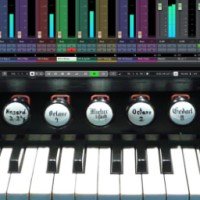
Topic: Streamdeck XL as a Hardware MIDI Controller for Organteq 2

The winter season is a time of rest for real church organs in many places, and electronic substitutes – hardware or software organs – are increasingly being used again. Just in time for this season, my hardware controller for Organteq is finished and ready to play.

I had been searching for a suitable hardware MIDI controller for a long time to be able to remotely control Organteq and its essential main page functions live.
This controller needed to have enough buttons, be as freely programmable as possible, and, most importantly, provide visual feedback on the essential Organteq settings.

While controlling Organteq via MIDI is no problem (I use the hard-coded SysEx commands wherever possible), transmitting information from Organteq to the hardware controller is more of a challenge, since Organteq (so far) doesn't have a MIDI OUT port.

I actually only bought the Elgato Streamdeck XL to be able to conveniently use the notation software Dorico. But I quickly recognized the potential of this little controller, especially in combination with the free MIDI software plugin from the small Swedish software company Trevliga Spel.
https://trevligaspel.se/streamdeck/midi/index.php

So I started learning the special scripting language that makes the MIDI plugin incredibly versatile, and Python to access Organteq's settings via the JSON RPC interface.
I also created a large number of icons, which now — visually very similar to the Organteq software — display the switches, knobs, stop types, their states, and other information on the Stremdeck hardware.

In normal use, the main page of the Organteq Stremdeck profile is primarily used; here, the buttons behave exactly as you would expect from Organteq. This includes 10 combination switches, the familiar buttons for the pending bank, tutti, and general cancel.

From the main page, you can access the four pages with the stop buttons (for the three manuals and the pedal). The current number of stop buttons, their appearance and their labels on the stream deck correspond to the current preset loaded in Organteq. The same applies to the pages with the other controller elements (tremulants, couplers, mono couplers, and expression and crescendo pedals).
To ensure synchronization between the Stream Deck and Organteq, a synchronization button is available on every page of the Stream Deck profile. Pressing this button starts a Python script that queries both the current stop name list and the entire parameter list from Organteq, extracts the necessary information, and returns it to the Stream Deck.

A simplified script that only queries the parameter list is automatically started after each combination change to update the changed stop and controller settings on the Stream Deck.

I programmed the Stream Deck profile on a Windows 10 PC and adapted it on an Intel MacBook Pro, which I also use for live performances. The two versions differ slightly.
Some photos can be seen here:
https://www.dropbox.com/scl/fo/xu4ks6b0...p&dl=0

I am happy to share my profile with other Organteq users and Stream Deck XL owners.
Of course, this comes without any guarantee of functionality, and please note that several preparations and settings are required on your own computer.

So, if you are interested in the profile, please contact me by email.

I wish – especially all organists who are particularly active during the Christmas season – a Merry Christmas and a healthy New Year.


Re: Streamdeck XL as a Hardware MIDI Controller for Organteq 2

Hi, Pat! Could you please share the Python Script that queries all the Organteq's parameters and stop list?

Re: Streamdeck XL as a Hardware MIDI Controller for Organteq 2

cter wrote:

Hi, Pat! Could you please share the Python Script that queries all the Organteq's parameters and stop list?

Sure! This is the part of the script that queries the current stop names and the Organteq settings.

#*****************
import requests
import json

organteqServer = "localhost:8081"

def rpc(method, params=None, id=0):
    if params is None:
        params=[]
    url = f'http://{organteqServer}/jsonrpc'
    payload = {
        "method": method,
        "params": params,
        "jsonrpc": "2.0",
        "id": id}

    try:
        result=requests.post(url, json = payload)
    except requests.exceptions.ConnectionError:
        # print('Connection error...')
        return None

    return result.json()["result"]

rpcStopNames = rpc("getStopNames",None,0)
# print(rpcStopNames)

rpcParameters= rpc("getParameters",None,1)
# print(rpcParameters)

Re: Streamdeck XL as a Hardware MIDI Controller for Organteq 2

Wow, i am extremely grateful! So much to explore TBH, not sure if it's my last question, ha-ha. Best regards, thanks again!

Pat wrote:
cter wrote:

Hi, Pat! Could you please share the Python Script that queries all the Organteq's parameters and stop list?

Sure! This is the part of the script that queries the current stop names and the Organteq settings.

#*****************
import requests
import json

organteqServer = "localhost:8081"

def rpc(method, params=None, id=0):
    if params is None:
        params=[]
    url = f'http://{organteqServer}/jsonrpc'
    payload = {
        "method": method,
        "params": params,
        "jsonrpc": "2.0",
        "id": id}

    try:
        result=requests.post(url, json = payload)
    except requests.exceptions.ConnectionError:
        # print('Connection error...')
        return None

    return result.json()["result"]

rpcStopNames = rpc("getStopNames",None,0)
# print(rpcStopNames)

rpcParameters= rpc("getParameters",None,1)
# print(rpcParameters)

Re: Streamdeck XL as a Hardware MIDI Controller for Organteq 2

Hi Pat. I'm trying to recreate what you did. I'm not sure if the current Midi version 4.3 has changed anything.
Do you mind writing a bit of a guide on how to set this up? Currently I've been able to get Stream Deck to activate stops on Organteq, using Bose MIDI translator.

The commands
python3 ~/Documents/organteq_rpc.py
cat /tmp/organteq_state.json

Work for me, I seem to get a list of Organteq info, but I'm stuck at this point, not knowing how to get Stream Deck to work with this.

Re: Streamdeck XL as a Hardware MIDI Controller for Organteq 2

peporgan wrote:

Hi Pat. I'm trying to recreate what you did. I'm not sure if the current Midi version 4.3 has changed anything.
Do you mind writing a bit of a guide on how to set this up? Currently I've been able to get Stream Deck to activate stops on Organteq, using Bose MIDI translator.

The commands
python3 ~/Documents/organteq_rpc.py
cat /tmp/organteq_state.json

Work for me, I seem to get a list of Organteq info, but I'm stuck at this point, not knowing how to get Stream Deck to work with this.

Hi peporgan,
I tested it again myself today—both on Windows 10 and on my MacBook Pro (Intel): The current version (4.3.0.1) of the MIDI plugin works perfectly with my Organteq profile.
If you like, I’d be happy to send you the profile; just send me an email via this forum.
Unfortunately, I don’t have detailed instructions for it.
Which operating system are you using? (The Organteq profile isn't identical for both systems!)

I don't know a "Bose MIDI Translator." Do you mean the Bome MIDI Translator? You don't need that for my profile.

Re: Streamdeck XL as a Hardware MIDI Controller for Organteq 2

Hi Pat,
With some vibe-coding help of Claude I managed to get it all working. I'll just note what I have below in case it's useful.

When I power on the Mac, I have two scripts that run:

"/Applications/Organteq 2/Organteq 2.app/Contents/MacOS/Organteq 2" --serve 0.0.0.0:8081
––– This opens Organteq to receive information between the Streamdeck XL

nohup bash -c 'while true; do python3 ~/organteq_rpc.py; sleep 0.2; done' > /tmp/organteq_loop.log 2>&1 &
––– This makes the python script run 5 times per second.

This has allowed me to have a General Cancel piston working - instead of manually making it link to every Streamdeck key, my Mac just checks every 0.2 second for stop updates, and accordingly will unlight the Deck stops accordingly.

The MIDI Streamdeck script for each stop is like this:
[ (press) {noteon:5,75,127}{@t_refresh:restart} ]
[ (@t_refresh:25) {state:#LOADFILE("/tmp/stop_4_5_switch.txt")#}{@t_refresh:restart} ]

All running smoothly and well.
I custom designed the appearance of my stops, with an on and off state, using Canva at 144x144 pixels. Looks sharp and clear on the Streamdeck.