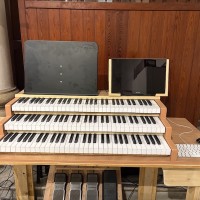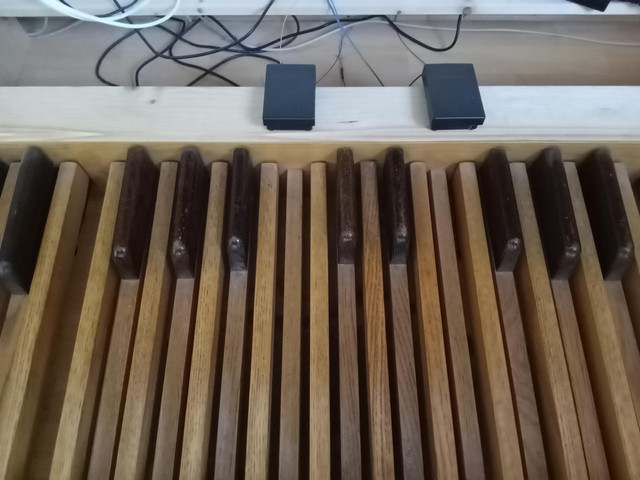
Topic: Ways to change the sound/stop combinations while playing?

I use a digital piano and a MIDI pedalboard (without an expression/crescendo pedal) to play Organteq 2. I wonder how you change the sound while playing?

I had an old Yamaha Electone and it had a button rail (is that what it's called?) under each manual. You press these buttons to change sounds (stop combinations) with your fingers.

Is there any existing product to do the same? I guess it needs to be USB-connected and then you can assign different combinations to each button in Organteq 2.
Re: Ways to change the sound/stop combinations while playing?

Acon wrote:

I use a digital piano and a MIDI pedalboard (without an expression/crescendo pedal) to play Organteq 2. I wonder how you change the sound while playing?

I had an old Yamaha Electone and it had a button rail (is that what it's called?) under each manual. You press these buttons to change sounds (stop combinations) with your fingers.

Is there any existing product to do the same? I guess it needs to be USB-connected and then you can assign different combinations to each button in Organteq 2.

Elsewhere on this forum Pat is using a StreamDeck to control stops.

I also have a free tool I've created to allow control of stops by voice (and more -- arbitrary combinations of stops can be assigned to any MIDI controller buttons/faders): talon-organteq

Last edited by kawai_user3535 (Yesterday 03:28)

Re: Ways to change the sound/stop combinations while playing?

The easiest way without any extra MIDI controllers/devices (and more especially if you have an 88-key keyboard) is to bind note events/key presses in the MIDI control/routing window.  You can set any aspect of the stop knobs or combination system to be a key press event.  In fact, I believe the default MIDI mapping has several of these enabled to demonstrate the functionality (which leads to very interesting and unexpected results if you open you a full-range MIDI file of piano or orchestral musics that goes below the default OTQ keyboard).  There might also be regular keyboard key bindings for select functions, but it's been a while since I experimented with much of that.

Pat's excellent StreamDeck stuff, the JSON Rest API serer, and additional MIDI hardware are other ways to do it as well (with varying degrees of technical knowledge and time investment to set up).  Unfortunately, OTQ doesn't currently support MIDI out so some advance console functionality that depends on it won't work (you can't update an external MIDI device with an internal OTQ MIDI/Sys state change).

Spotify: https://open.spotify.com/artist/2xHiPcCsm29R12HX4eXd4J
Pianoteq Studio & Organteq
Casio GP300 & Custom organ console