Topic: Accessibility vs. Skeuomorphism...

EDIT: This came off as a design rant... The reality that I failed to mention is that I'm 40+ and starting to have age-related vision issues. The accessibility settings on most computers just mess up all the interfaces and barely work, but not at all on things like VSTs....


I love Pianoteq. I use it every day, in a DAW. I'm typically composing and mixing with multiple tracks, so I need to see a lot of information on my screen.

I also love that pianoteq has a handy little chord detector. Key word little.

One thing I don't love is the user interface. Subjectively, I think it's ugly but that's just me.

Objectively it has a lot of wasted space and to make the text legible from any distance (to see the chord detector for example), you have to scale it so large that it takes up half my screen. I did some quick measuring calculated that about 35% of the interface is just wasted space to accommodate the pointless skeuomorphism.

In addition, the insistence on using graphical sliders instead of a text box that pops up a slider if you need it takes up an additional 50% of space that could just be larger, more legible text.

To further exacerbate the legibility issue, the faux LCD screen on the faux keyboard (on my real LCD...) has reduced contrast to make it look more like an old skool LCD on a casio...

If this sounds like a rant it's because I want skeuomorphism to die forever.

But yea other than that Pianoteq is the best, keep up the great work!!

High contrast interface without the wasted space:

https://i.ibb.co/hFNF6g0N/declutter.jpg

Last edited by nofrets (05-01-2026 22:26)

Re: Accessibility vs. Skeuomorphism...

nofrets wrote:

High contrast interface without the wasted space:
https://drive.usercontent.google.com/do...WNtjdrjcSS

Link produces a 403 error.

Re: Accessibility vs. Skeuomorphism...

wonner wrote:
nofrets wrote:

High contrast interface without the wasted space:

https://drive.usercontent.google.com/do...WNtjdrjcSS

Link produces a 403 error.

Fixed, thanks.

Re: Accessibility vs. Skeuomorphism...

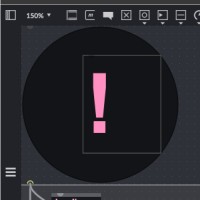
OK. I made it more awesome and legible in fauxtoshoop. I think this should be used as the default with a 2010 style option for ppl who like the original. I made the panic button better too:

 doomtoskeuomorphism.jpg

Last edited by nofrets (06-01-2026 03:06)

Re: Accessibility vs. Skeuomorphism...

Different People have different issues or tastes. I for one love Skeuomorphism.
It was one of the reasons I bought Propellerhead Reason in the first place.
Having that said, at the age of 71, I find some things hard to read these days. So my tool of choice is a magnifying glass on my Desk.
AND on my computers desktop!
It is ready to use on my mouse (it has some buttons on the side where my thumb can activate funktions).
This comes with Windows, but I guess other OS have something similar.

So I could, if I want to, activate this and hover the lens over the little chord detector and leave it there.
Now I could see this chord detector enlaged while playing. Maybe this could solve one of the issues nofrets stated.
In addition to that, I can even reduce the size of the pianoteq window to have more space for my desktop content (e.g. DAW)
and use the magnifying lens for the chord detector.

It is worth a try, isn't it?

Re: Accessibility vs. Skeuomorphism...

For those who do not know Propellerhead Reason (now Reason Studios), you might want to look it up.
When it came out in 2000 the pseudo realistic GUI (even with dangling cabels at the backsite of Devices that you could plug in where ever you desired) was a big help for Musicians that came from a real studio with real hardware to adapt to Musik produced and mixed in a Computer.

And while I love the huge SSL mixing console of Reason, I find the more "computerlike" Mixer in Studio One a better option to work with. Less charme, but better usability.
All the devices here are more 2D than 3D in design, but still there are Buttons to push and turn if something alike exist in the real world as well. I for one would not like to miss these familar appearances from my past.

Regarding Pianoteqs UI, things are different. The only thing a player touches and moves are the keys. All the rest (the inner workings) are for the Engineers and later the tuners. No need to show an icon of a felted hammer to adjust hammer hardness. So you keep the GUI technical.

But there are still these small hints that bring up visions of carefully shaped, laquered and polished Wood. A faint echo of the real live Piano that was the inspiration of the model. Maybe that is just me, being toched inside by these little details.
The Image of the "real" piano in a given Room. The soft curve above the "Middle Window" that holds the name of the selected piano in its original writing above the moving Pedals in a shape that mimics real ones.

Nothing of that is "usefull" and can be omitted. And yet... Music is an Art!
I think our virtual Instruments should be pieces of Art as well, just like their counterparts.

Re: Accessibility vs. Skeuomorphism...

Personally I admit that I like skeuomorphism... sorry for that, even though I'm also 71 years old (or perhaps because I am...), and needing glasses for about anything. Being able to enlarge the whole display is enough for me, maybe an "accessibility" view like the one you describe could be offered as an option... but I don't like it as such !

Re: Accessibility vs. Skeuomorphism...

I respect the aesthetic choice and appreciation of visual cues. I had an injury also so it's a little more complicated than just magnification...

I appreciate the suggestion to map the magnifier to one of my mouse buttons. Just useful in general for graphics stuff.

I'm an Ableton user who likes the compactness. I like the ability to scale it easily so when I'm playing music with people I can share relevant information.

I use a lot of modeled instruments simultaneously and they all compete for space. They all want to be pretty and push the realness factor of the experience.

It's OK but clunky when I'm plugged into my external monitor, but when I need to go somewhere to play, I just have a laptop screen.

I think there should be the options for:
- compact for DAW users on laptops (and the iOS!). Compact, not shrunk and illegible.
- high contrast for folks who have vision issues or need to see things from a distance
- Dark mode for performers, night time, and folks with injury related vision sensitivity.
- Enlarging the guitar fretboard so it's actually visible from guitar playing distance and having a chart-style option in black and white.
- Floating scaleable chord window with alternative chord interpretations.

While I think aesthetics are important (I'm an artist and luthier I don't think they should come before accessibility and functionality for all.

The architect Michael Graves became a proponent of accessible architecture after he suffered a spinal injury that prevented him from entering his own structures. I think designers have a greater obligation than artists to make their work accessible.

My flat design was a joke making fun of my 80s/90s roots, but I do think neumorphism has merits for its enhanced visual cues, while simultaneously keeping relevant information easily visible.

Everyone is different so options are nice. That's why keeping things modular is important with graphic design.

https://www.nngroup.com/articles/visual...ssibility/

Last edited by nofrets (Today 04:50)

Re: Accessibility vs. Skeuomorphism...

I fully understand the need to see easyly fom further away during a performance. I for one when singing need to see my lyrics clearly from a distance larger then I sit in front of my computer. And I need this display in a way that I need just a brief glance in case I got lost.
Or rehearsing a pice on the piano, I need my sheet music blown up, because I cannot read music very well. While writen language is no problem even small print upside down, I have no history of reading music for decades. So the position of the dots must be as clear as possible.
So not only have different people different needs, the same person has different needs depending on his situation.
When you are a luthier and wish a larger fretboard, I assume you perform on a guitar, may one of your own making?
I am a curious guy, so please excuse when I am to personal.

You say you have a lot of modeled instruments, may I ask which?
I think I should have more of those instead of VSTs. As of today I have a modeled Hammond B3 from Cherry Audio, a Modo Drum and Modo Bass from IK Multimedia (all a pain in the a.... for skeuomorpism and footprint). I have read about this SWAM instruments from Audio modeling (less guilty but still a lot like pianoteq).

Re: Accessibility vs. Skeuomorphism...

High contrast and dark modes are fine, but please keep the faders and don't replace them with numbers! I find it much quicker to evaluate settings by looking at a series of faders than a list of numbers, don't you? Of course, numbers should appear when precise adjustments are needed, but please keep the graphics—I love them!

Re: Accessibility vs. Skeuomorphism...

Luc Henrion wrote:

High contrast and dark modes are fine, but please keep the faders and don't replace them with numbers! I find it much quicker to evaluate settings by looking at a series of faders than a list of numbers, don't you? Of course, numbers should appear when precise adjustments are needed, but please keep the graphics—I love them!

YES, by all means - KEEP the GUI as is, AND provide an option for a different one. Best would be something the user can alter to his needs.
I for one are in love with the current way it is done.